Your properties. Your tenants. Your control.

Rent, repairs, compliance dates, documents and tenant messages in one place. Built for private landlords in England.

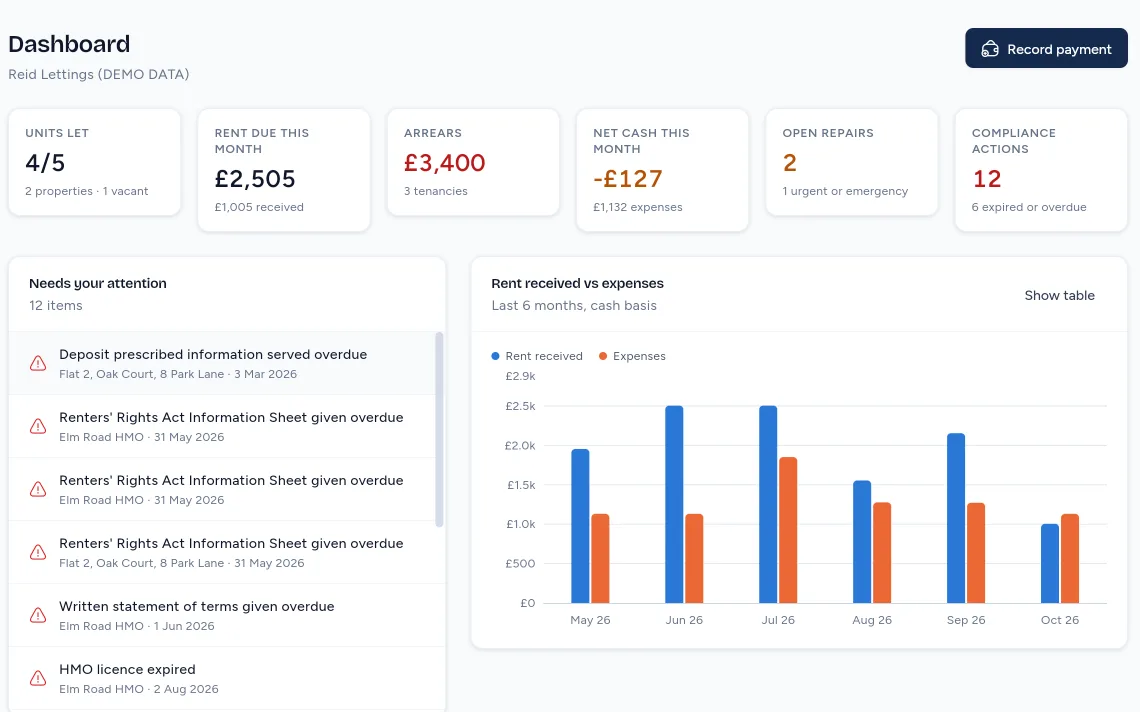
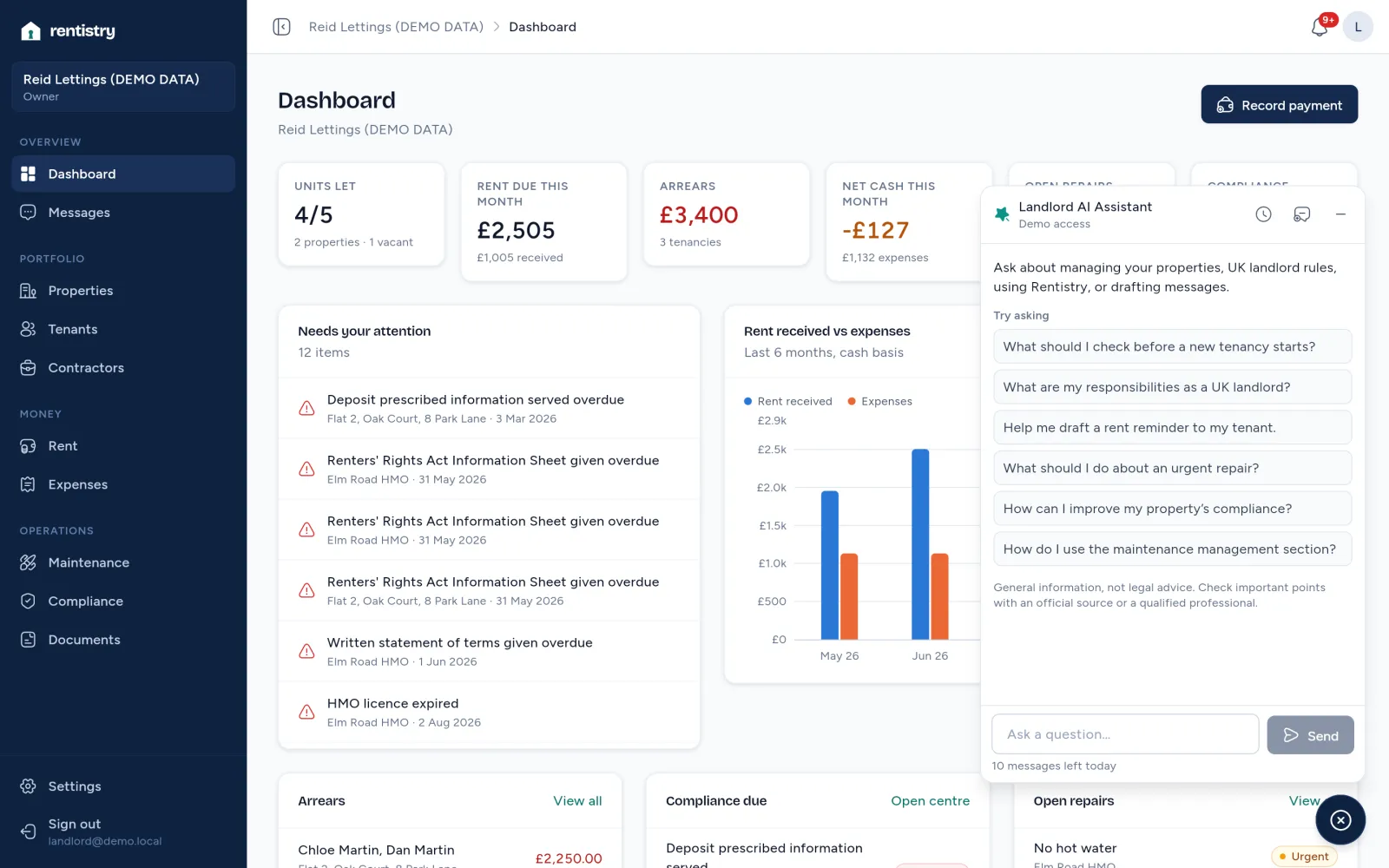
The Rentistry dashboard for a demo portfolio: 4 of 5 units let, £2,505 rent due this month, £3,400 arrears, 2 open repairs and 12 compliance actions, with a list of what needs attention and a chart of rent against expenses.
The tenant’s home screen on a phone: balance due, next rent date, Report a repair and Message your landlord. Demo data

Rent in a spreadsheet. Repairs in your texts. Certificates in a drawer.

Everything loose has a place.

0 of 6 filed

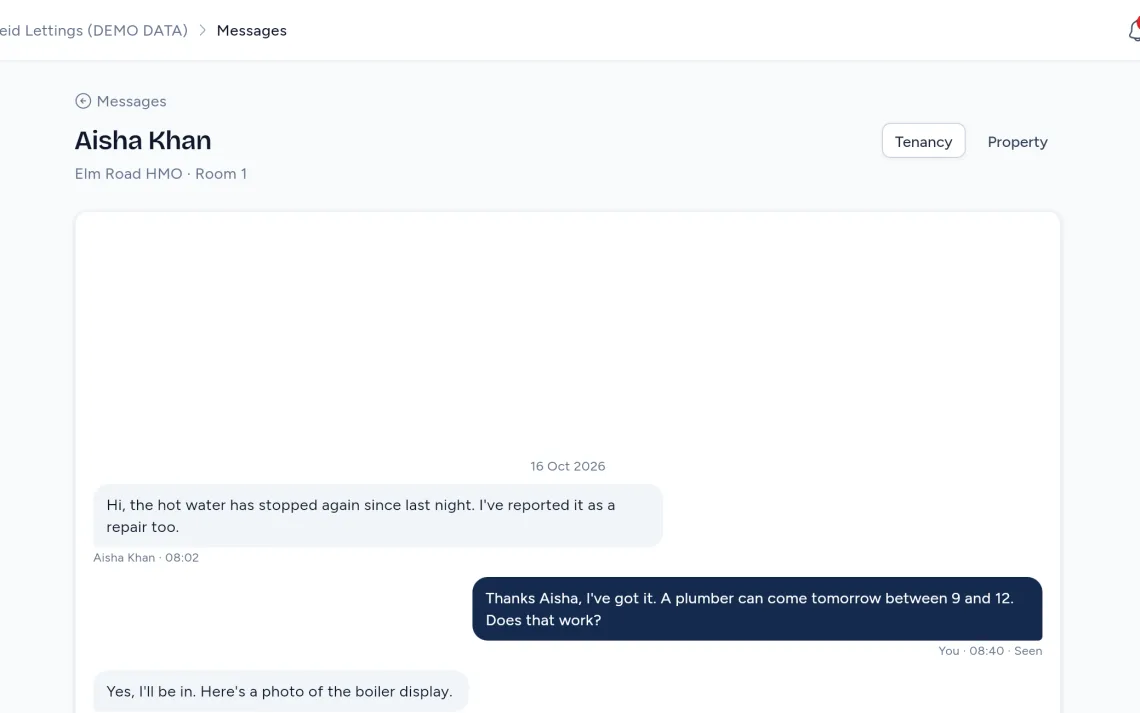
  1. Aisha, Room 1Hi, the hot water has stopped again since last night.
    Rentistry Messages: the conversation with the tenant of Room 1, Elm Road HMO, on demo data.
    Messages. One conversation per tenancy, with photos and files.
  2. Book plumber for Room 1!!
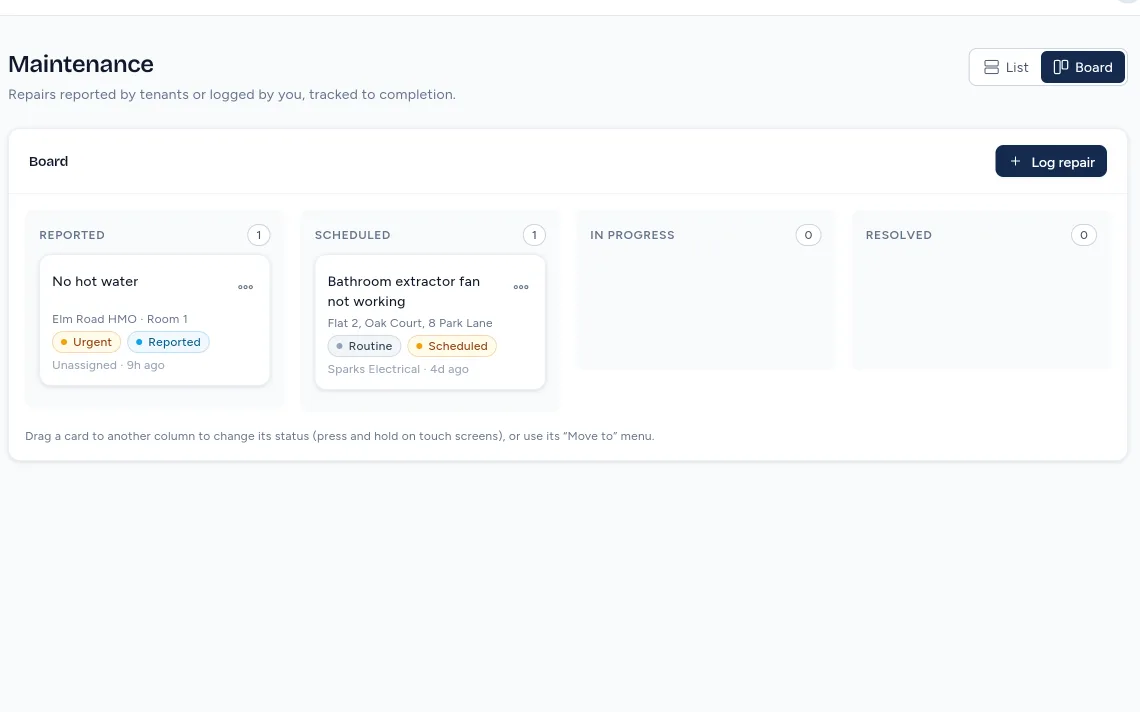
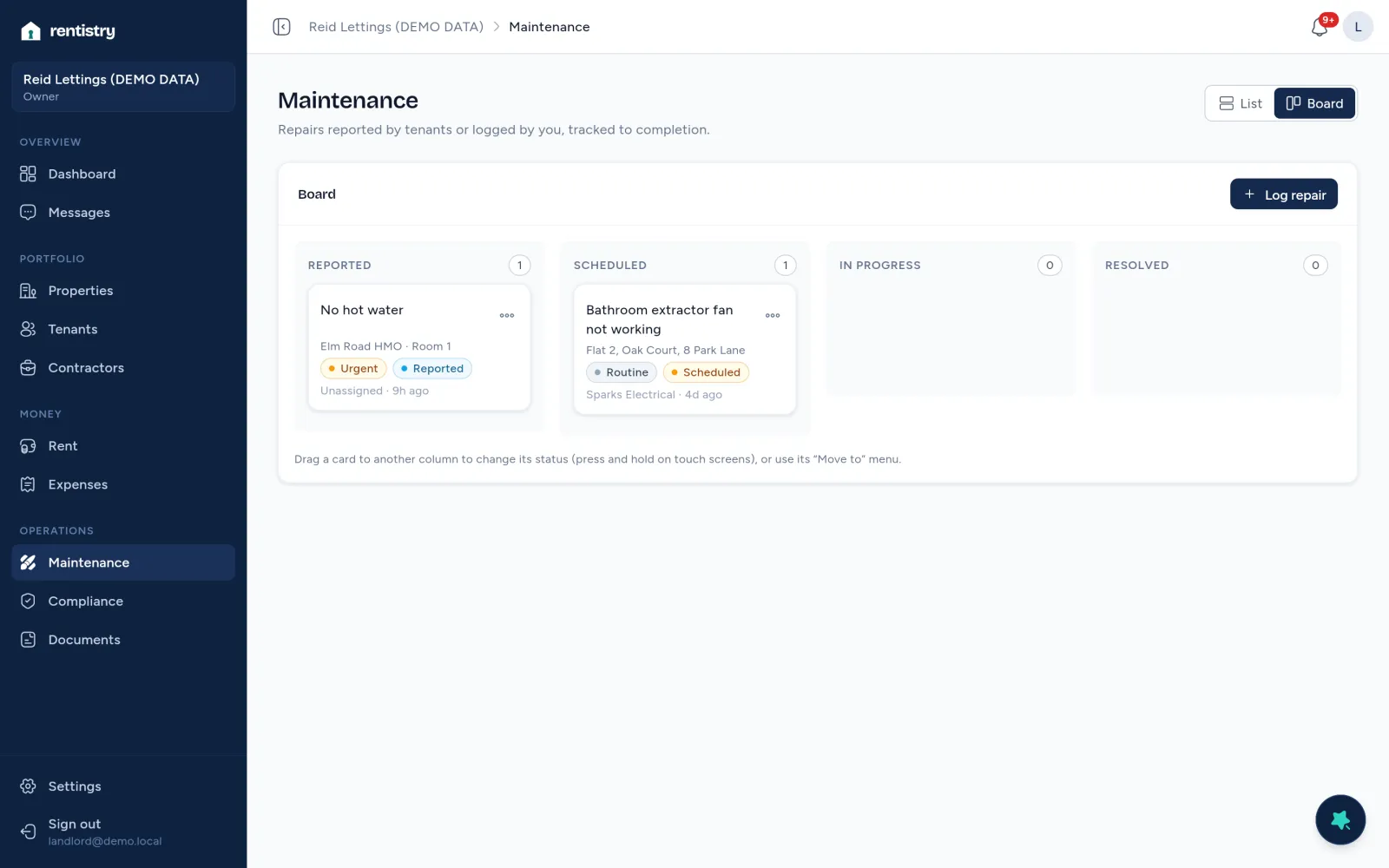
    The Rentistry repairs board on demo data, with the urgent repair No hot water in the Reported column.
    Repairs board. Reported, scheduled, in progress, resolved.
  3. RoomTenantOct
    1A. Khanpaid??
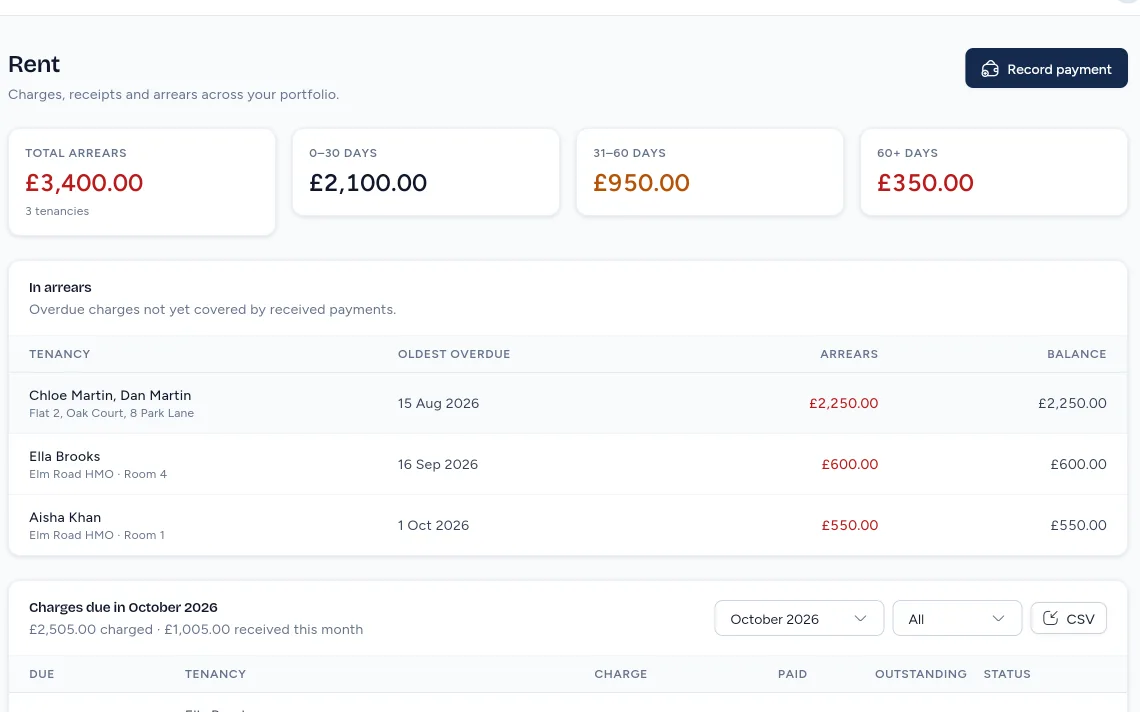
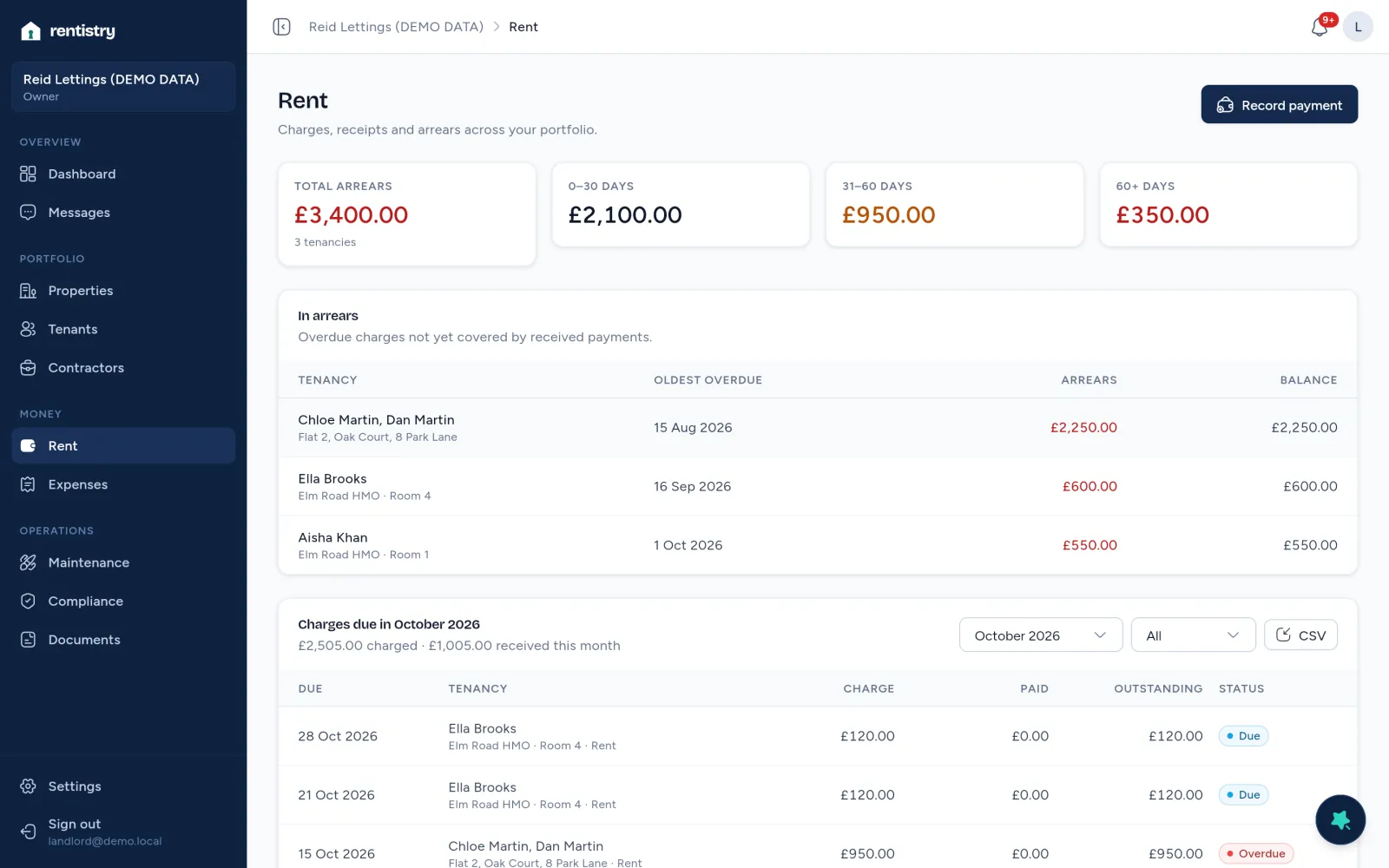
    Rentistry Rent on demo data: three tenancies in arrears, including Room 1 at £550.00.
    Rent and arrears. Worked out from the payments you record.
  4. Gas safety recordElm Road. Next check due 15 Nov 2026
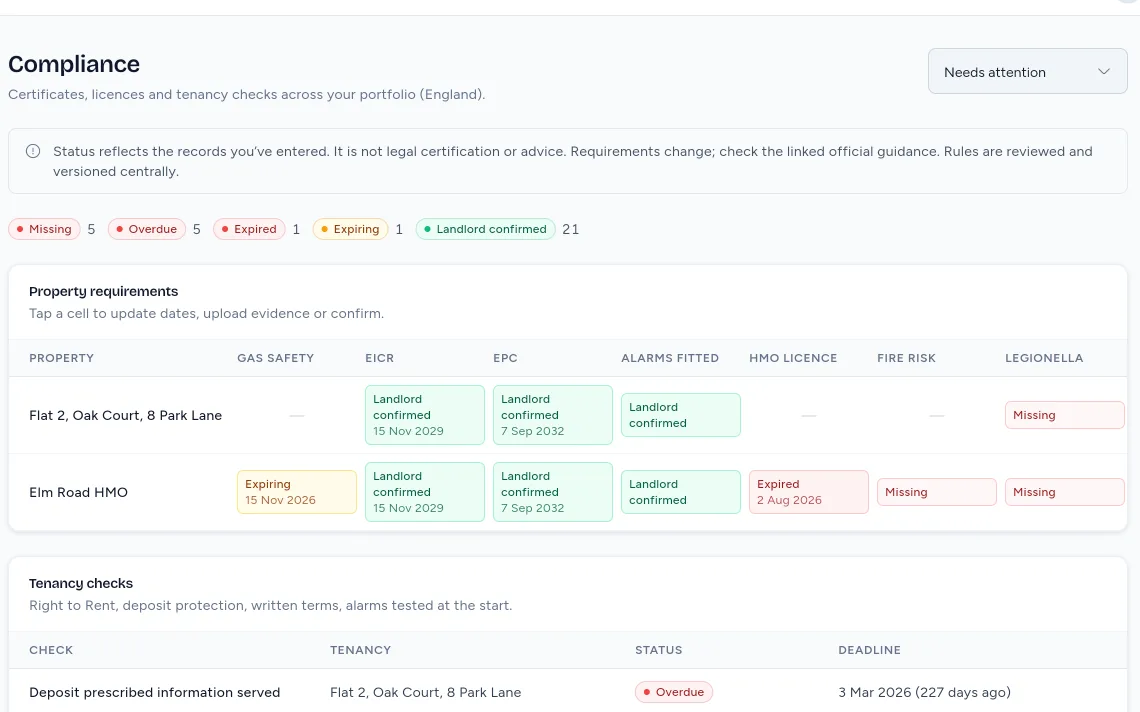
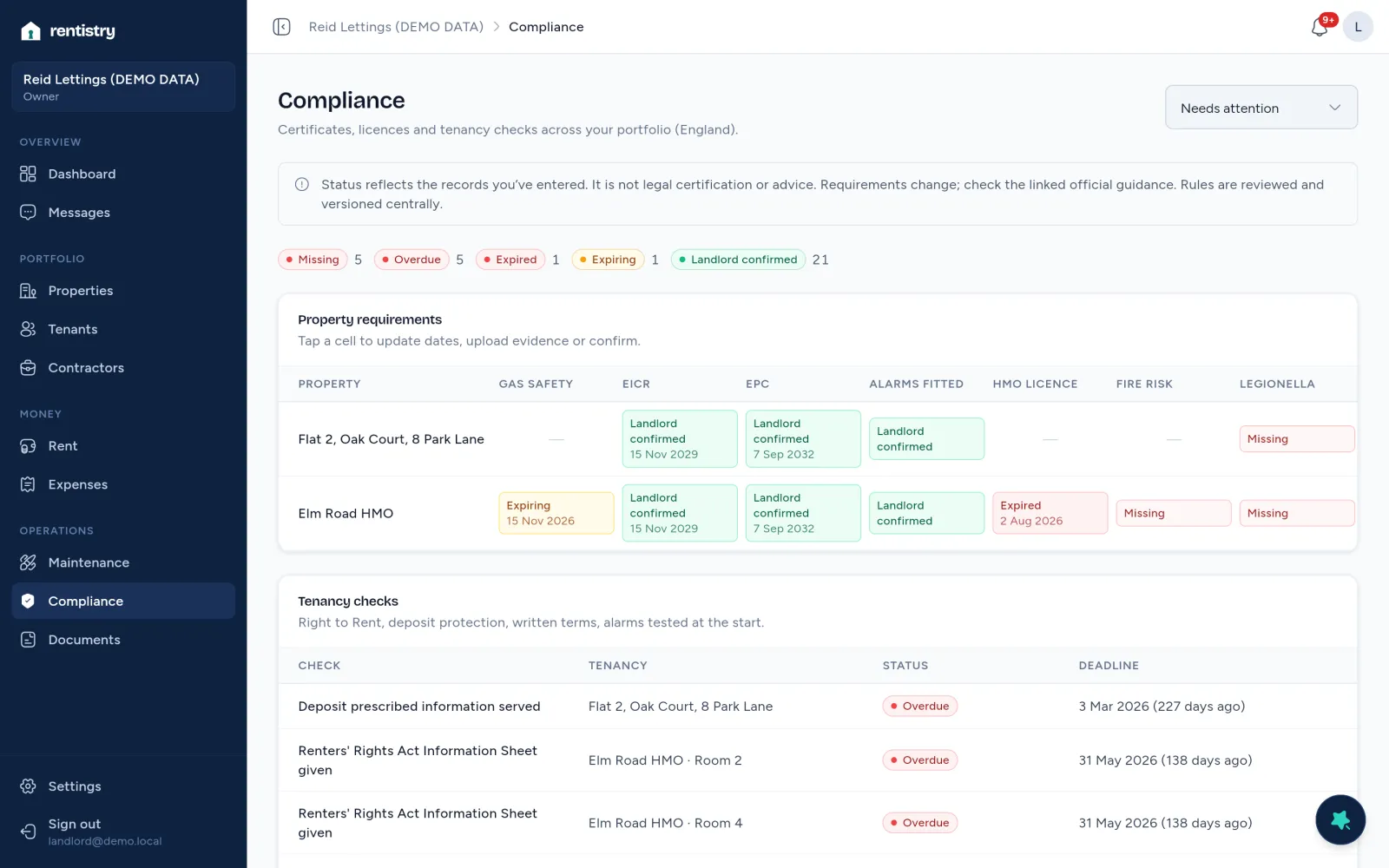
    The Rentistry compliance matrix on demo data, showing Elm Road’s gas safety as expiring on 15 Nov 2026.
    Compliance centre. Every certificate and check, with the date it’s due.
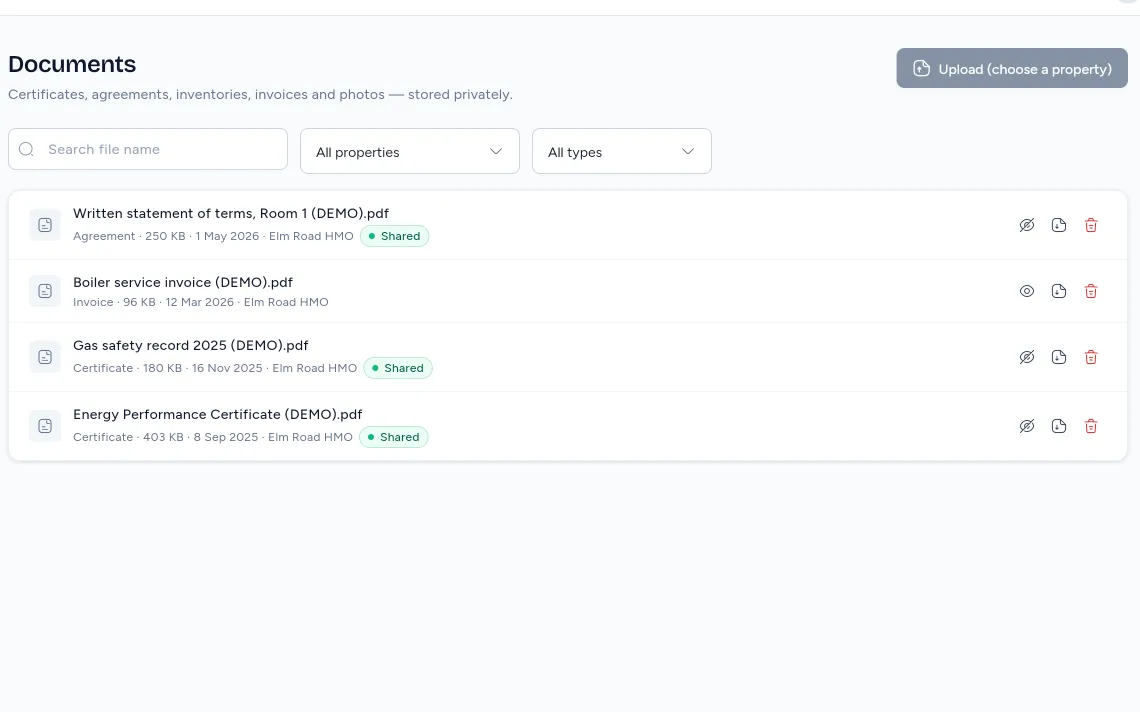
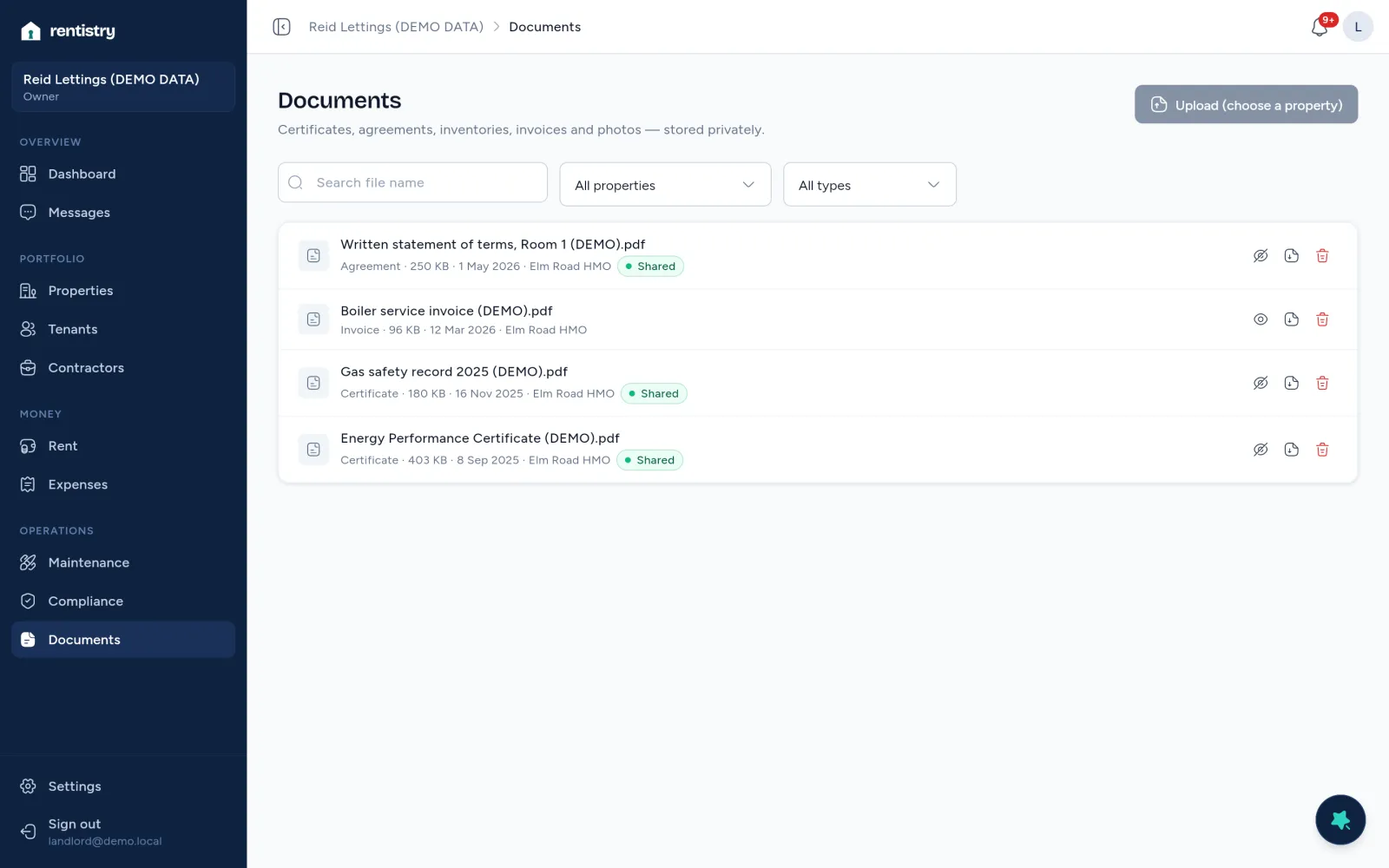
  5. Rentistry Documents on demo data: the written statement of terms, gas safety record and EPC, shared with the tenant.
    Documents. Filed to the property, shared with the tenant when you choose.
  6. Diary, AugustHMO licence: renew sometime this month?
    The Rentistry dashboard on demo data, listing HMO licence expired under Needs your attention.
    Dashboard. It opens on what needs you, most urgent first.
Left: illustrations of everyday admin.Right: Rentistry, on demo data.

Six everyday items, each with the part of Rentistry that keeps it: a tenant’s text goes to Messages, a note to book a plumber goes to the repairs board, a spreadsheet of who has paid goes to Rent and arrears, a gas safety certificate goes to the compliance centre, an emailed tenancy document goes to Documents, and a diary note about an HMO licence appears on the dashboard.

What Rentistry does

Each part handles one job a landlord does by hand today. Read down; the screen follows.

Properties and units

Houses, flats and HMOs, each with its rooms or flats, address, mortgage and insurance details.

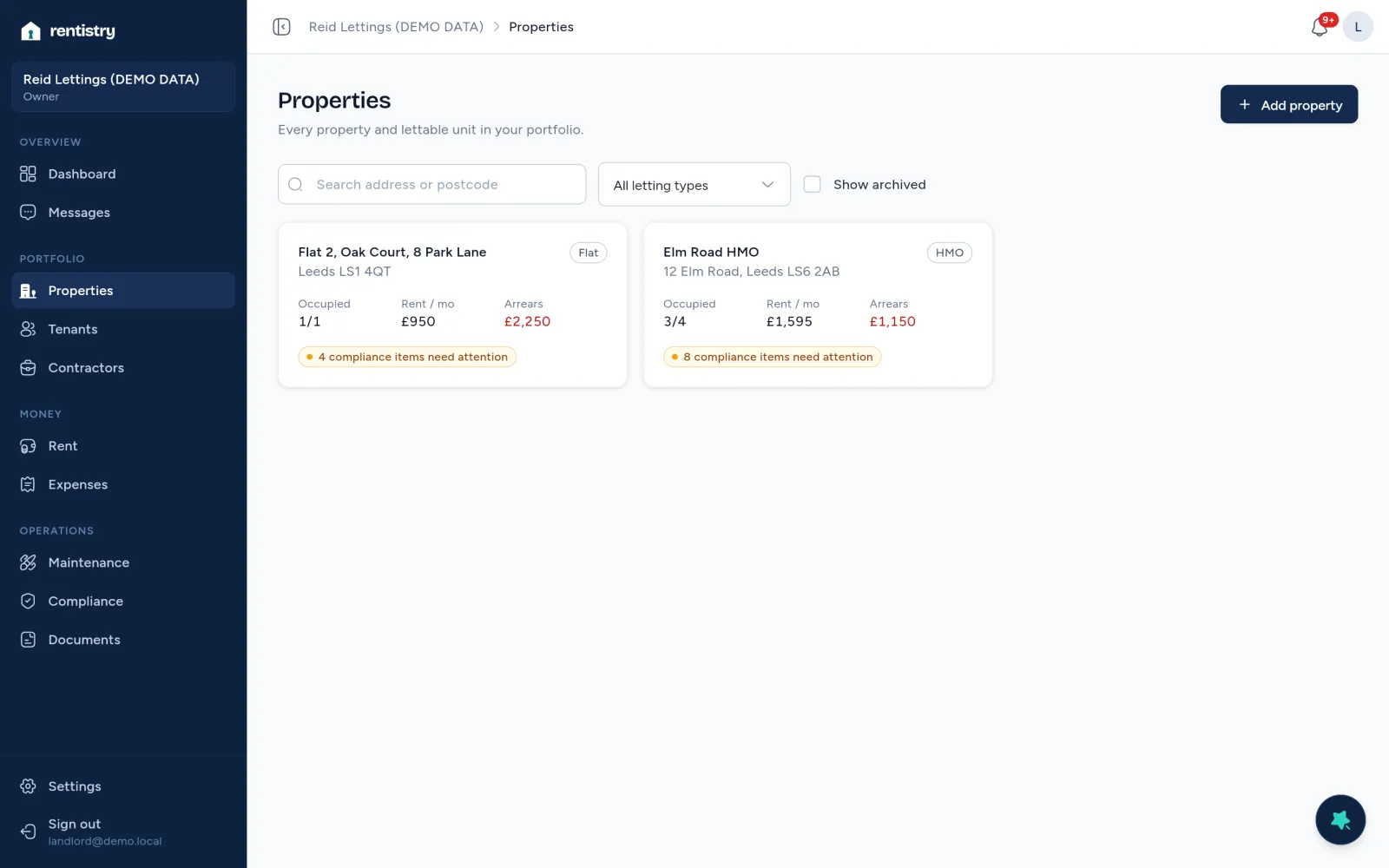
See occupancy, rent and arrears for every property at a glance.
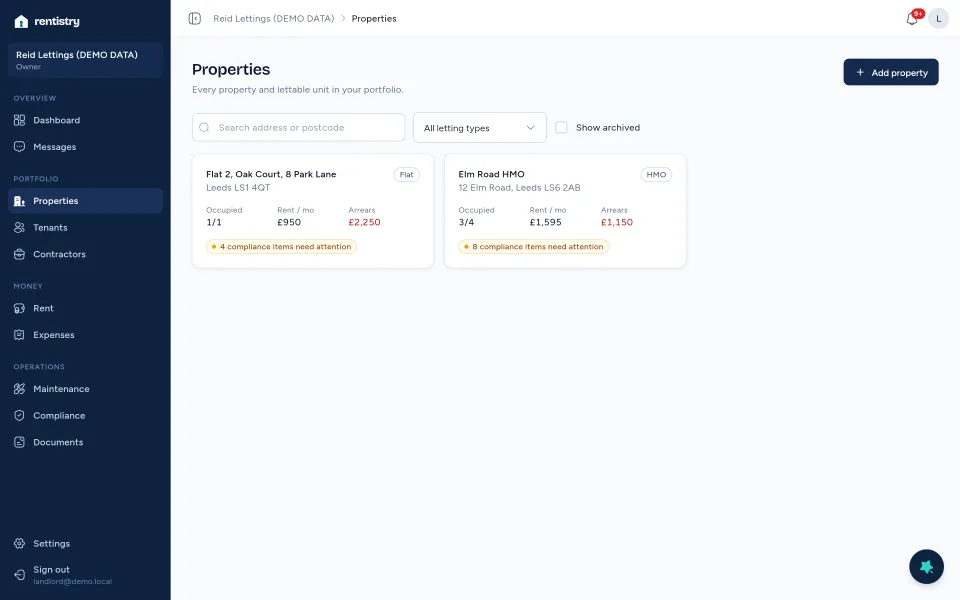
Rentistry Properties on demo data: two properties with occupancy, rent and arrears.

Tenants and tenancies

Tenant records, joint tenancies, deposits and notice dates, set up in four steps.

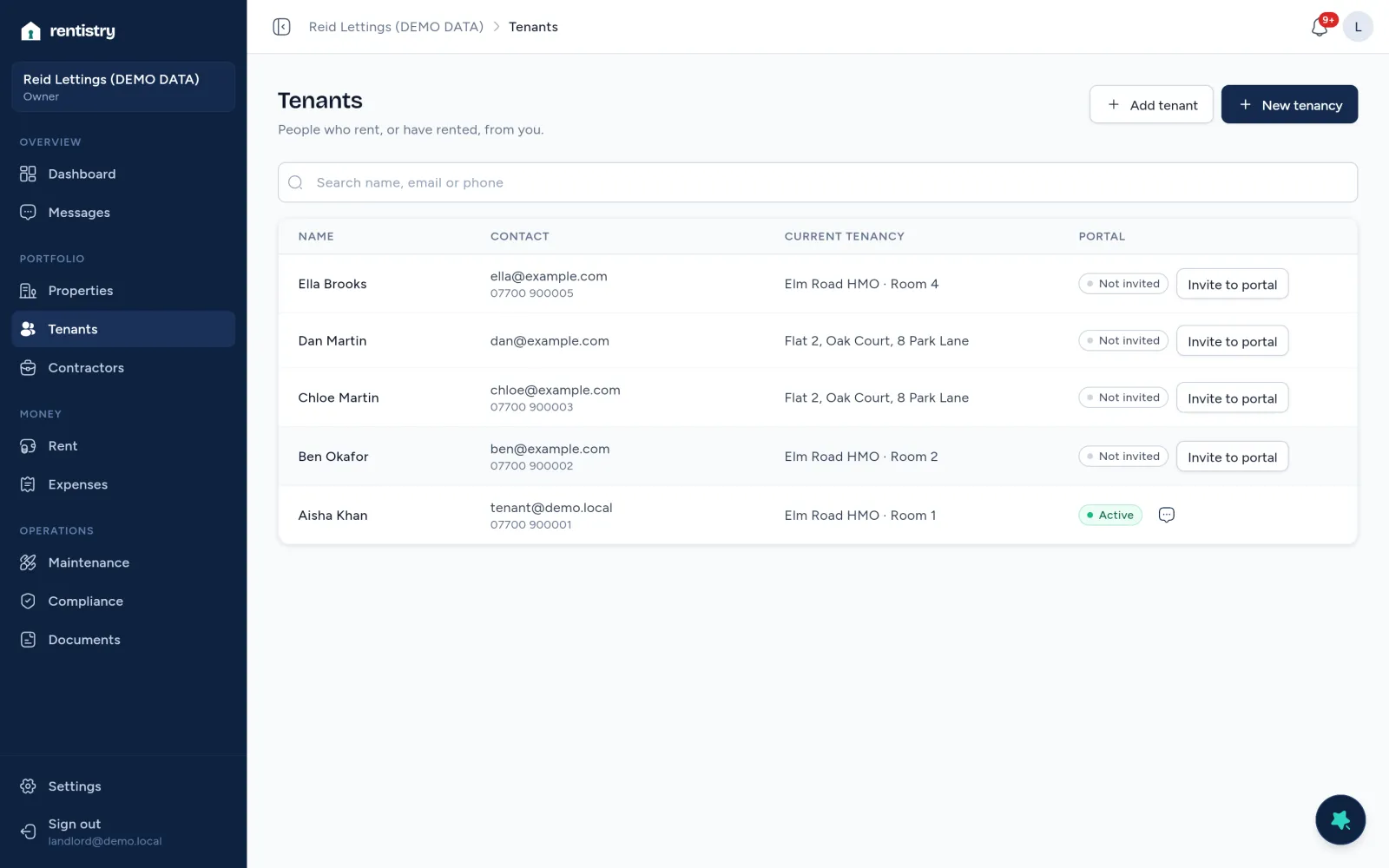
Every tenancy’s details in one record, with its own tenant portal.
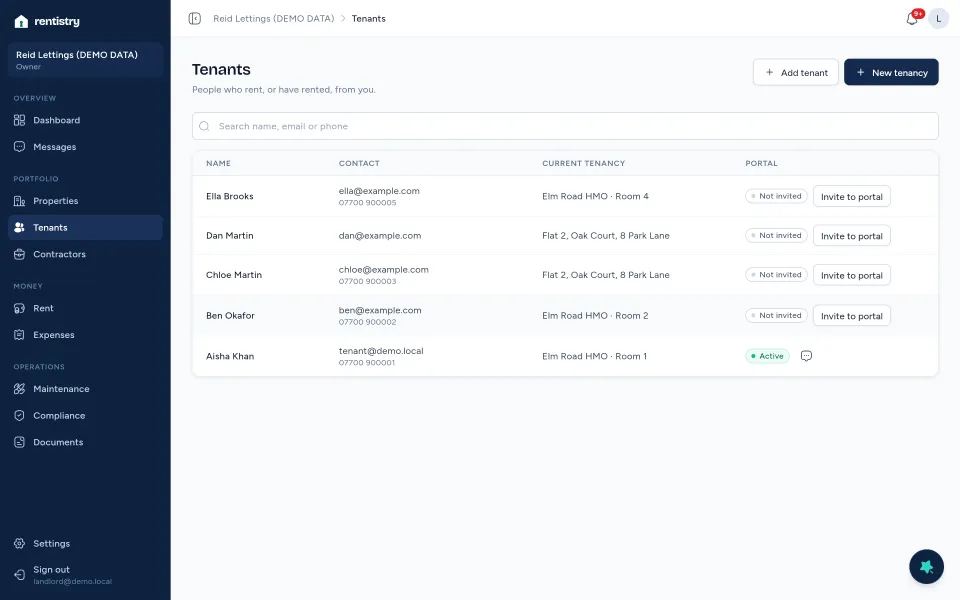
Rentistry Tenants on demo data.

Rent and money

Rent charges scheduled automatically, payments you record, arrears by age, printable statements and expenses.

Answer “who owes me what?” from the dashboard.
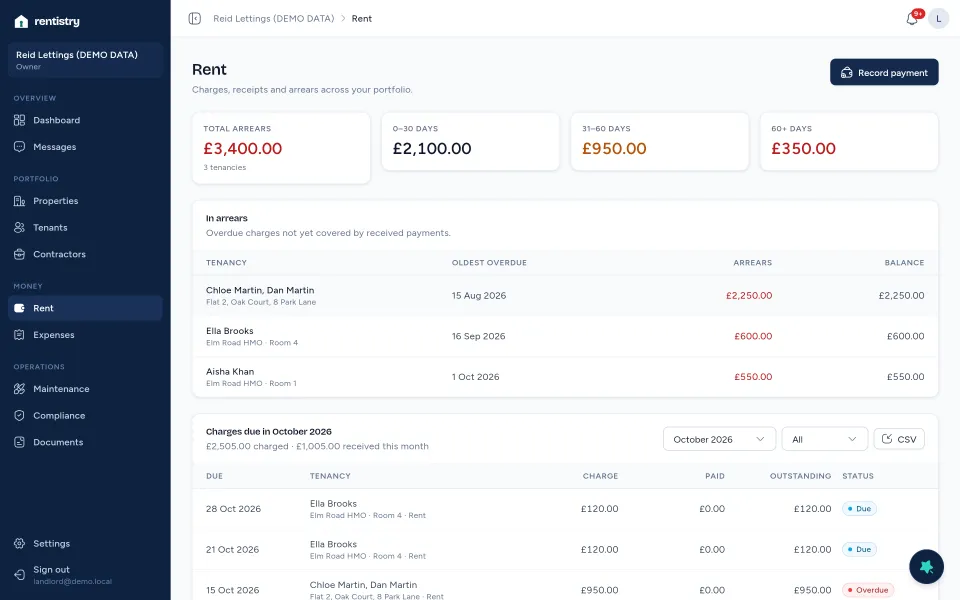
Rentistry Rent on demo data: total arrears by age and tenancies in arrears.

Repairs and maintenance

Tenants report with photos and urgency; you track each repair from reported to resolved, with contractors and costs.

Nothing sits forgotten in a message thread.
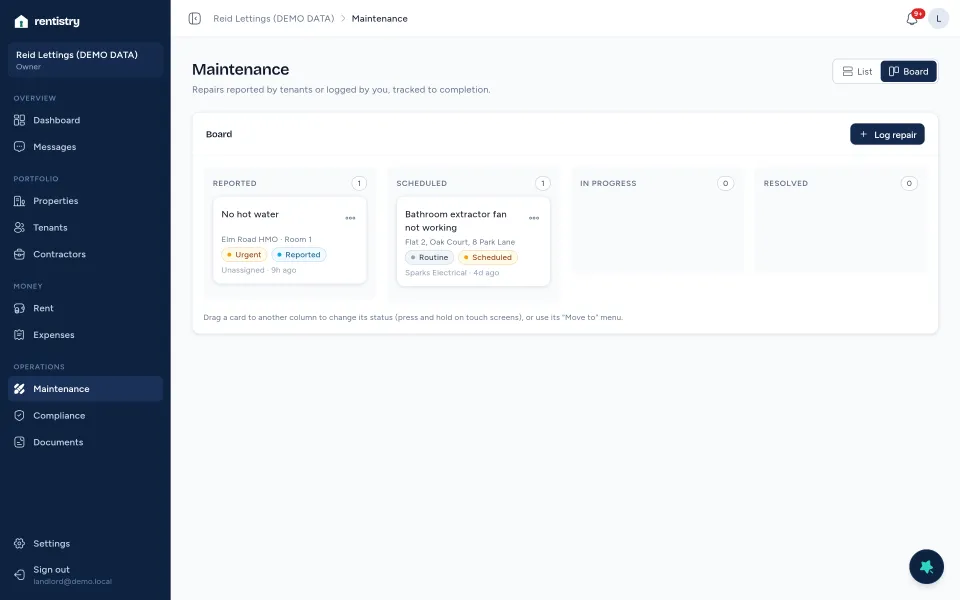
The Rentistry repairs board on demo data.

Compliance centre

The certificates, licences and tenancy checks that apply to each property in England, with dates and evidence.

See what’s missing, expiring or overdue before it becomes a problem.
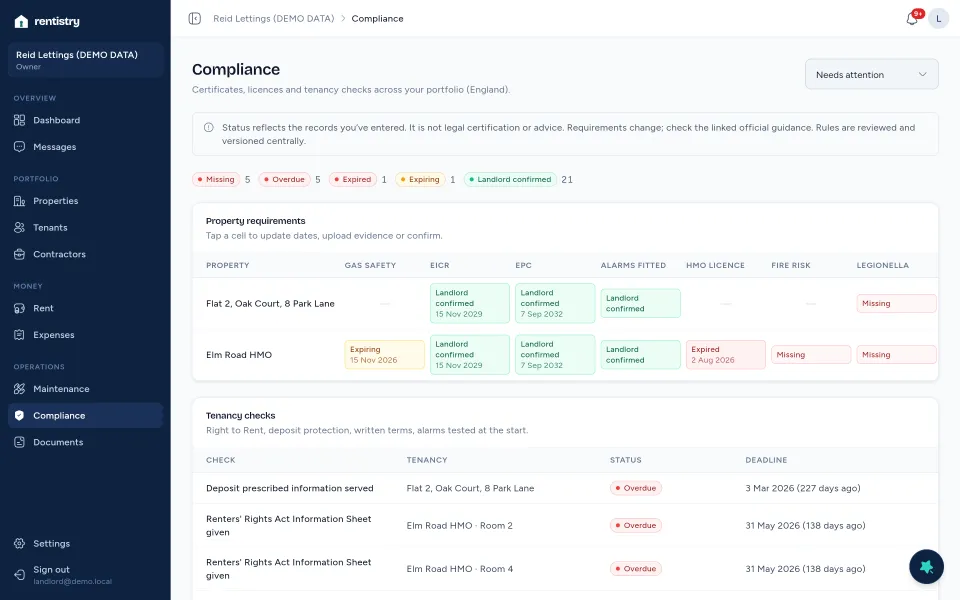
The Rentistry compliance matrix on demo data.

Documents

Certificates, agreements, invoices and photos, stored privately against the property or tenancy.

Find the right file in seconds, and share it with your tenant in one click.
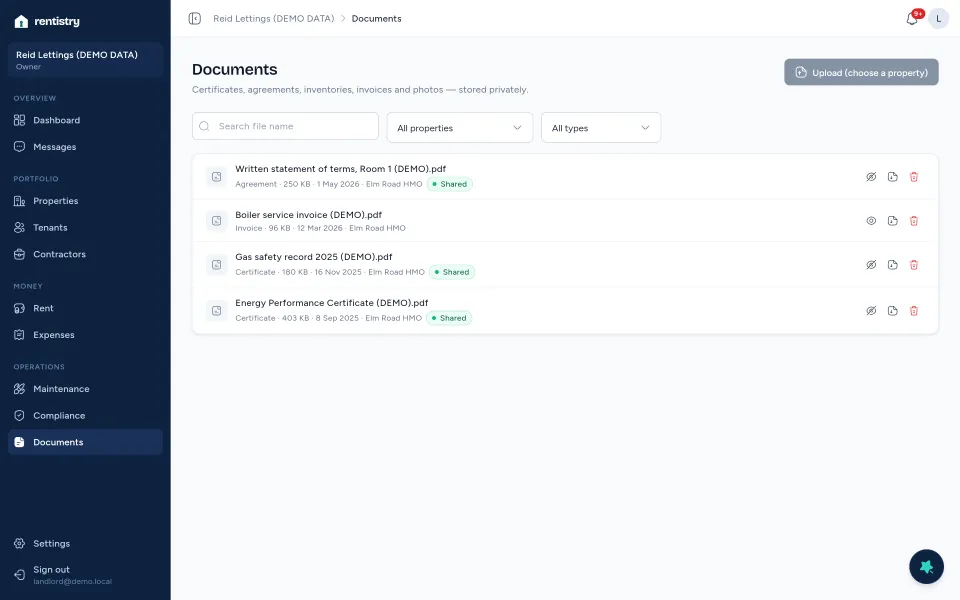
Rentistry Documents on demo data.

Messages and reminders

A conversation with your tenants for each tenancy, and daily reminders about rent, repairs and dates.

Tenant communication and follow-ups in the same place as the records.
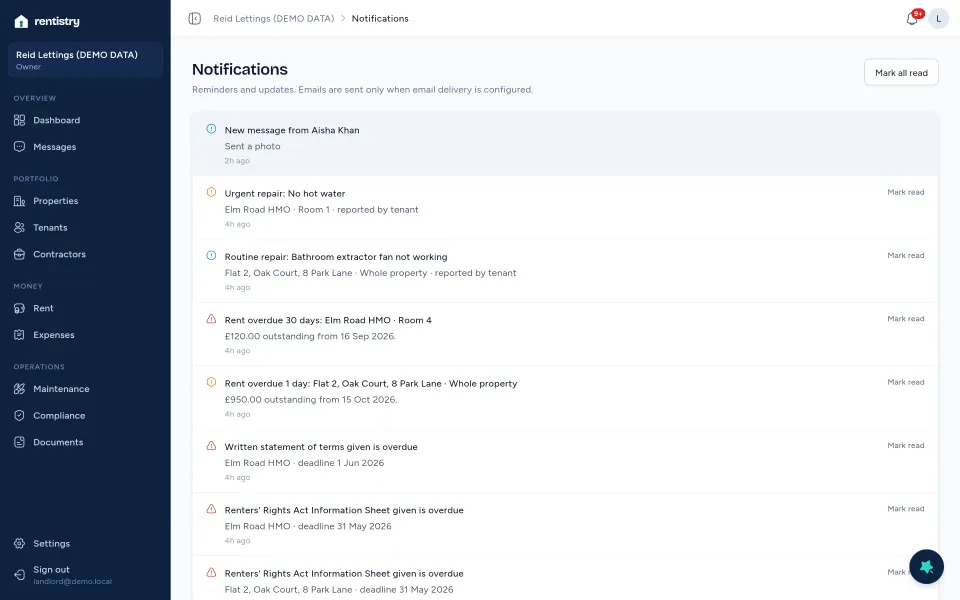
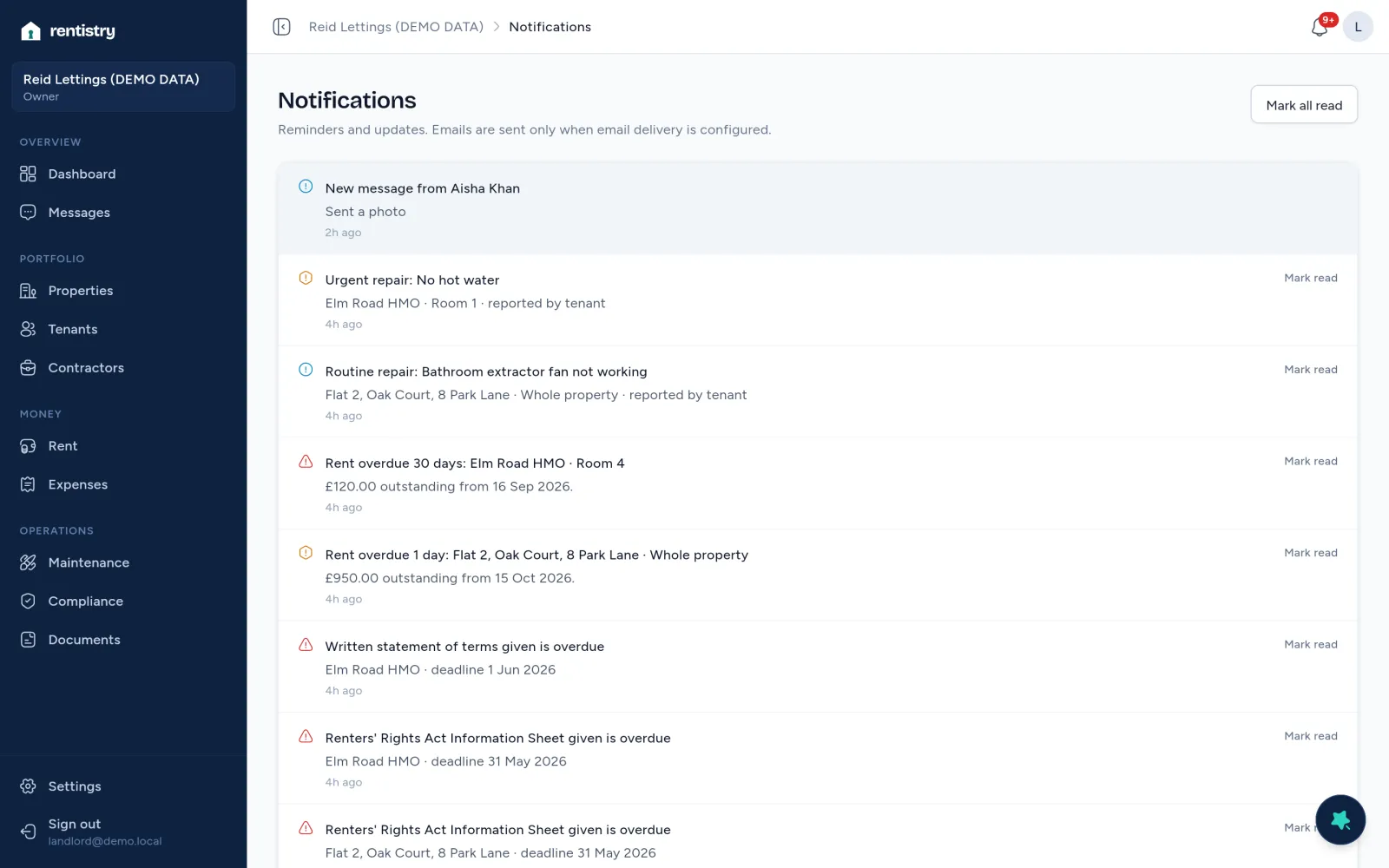
Rentistry notifications on demo data: a new message, urgent repair, overdue rent and overdue tenancy checks.

AI Landlord Assistant Premium

Ask general questions about letting in the UK or about Rentistry, and get drafts of messages to tenants and contractors.

A first draft in seconds. It never sends anything or changes your records.
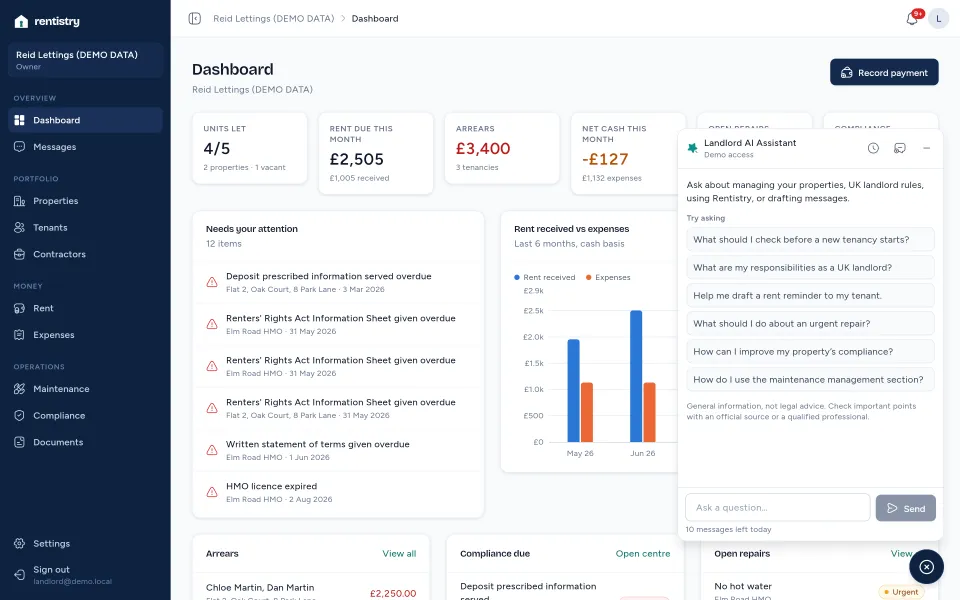
The Landlord AI Assistant panel open over the dashboard, with suggested questions, on a demo account.
Rentistry Properties on demo data.
Rentistry Tenants on demo data.
Rentistry Rent on demo data.
The Rentistry repairs board on demo data.
The Rentistry compliance matrix on demo data.
Rentistry Documents on demo data.
Rentistry notifications on demo data.
The Landlord AI Assistant on a demo account.

Rentistry on demo data.

Explore features

What changes when it’s all in one place

  • Less time on routine adminRent charges are scheduled for you, and reminders come to you.
  • One view across every propertyOccupancy, rent, repairs and compliance on a single dashboard.
  • Repairs you can follow upEach one has a status, a timeline, a contractor and its costs.
  • Dates you can see comingExpiring certificates and overdue checks are flagged, not buried.
  • Tenancy details to handRent, deposit, notice and documents live with the tenancy.
  • Calmer tenant communicationTenants report repairs and message you through their own portal.
  • Fewer tools to juggleOne place instead of a spreadsheet, a calendar and several inboxes.
  • More confidence letting it yourselfA clear record of what you’ve done and what’s next.

How it works

  1. Create your account

    Sign up with your email and confirm it. No card needed.

  2. Name your organisation

    The first step after you sign in. You can invite an admin or your accountant later.

  3. Add your properties

    A house, a flat or an HMO, with its rooms or flats as units.

  4. Set up tenancies

    Tenants, rent and deposit in four steps, then invite your tenant to their portal.

The Rentistry compliance centre on demo data, with the notice that status reflects your records and is not legal certification. A tenant reporting a repair on a phone, choosing how urgent it is.

Careful with your records, and plain about what it does.

  • Your records are walled offThe database refuses access to anyone outside your organisation, on every table.
  • Two-step sign-inTurn on an authenticator app for your account.
  • Private filesDocuments open through links that expire after five minutes.
  • Your data is yours to takeExport everything as JSON and CSV whenever you like.
  • Honest about complianceStatus reflects the records you enter. It is not legal certification or advice.
  • No tracking on this websiteNo analytics or advertising cookies.

Free, Basic and Premium

Plans and prices are being finalised and aren’t on sale yet. You can create an account today, or book a demo and we’ll talk you through what each plan will include.

  • Free

    Price to be confirmed

    The entry plan, for seeing how Rentistry fits the way you let.

    AI Landlord Assistant not included

    Create an account
  • Basic

    Price to be confirmed

    For landlords running their lettings in Rentistry day to day.

    AI Landlord Assistant not included

    Ask about Basic
  • Premium

    Price to be confirmed

    For landlords who want help drafting messages and looking things up.

    Includes the AI Landlord Assistant

    Ask about Premium

Compare plans

Questions

What is Rentistry?

Rentistry is software for private landlords who manage their own lettings. It keeps your properties, tenancies, rent, repairs, compliance dates, documents and tenant messages in one place. It runs in your web browser on a computer, tablet or phone.

Who is it for?

Private landlords in England who let property themselves, from a single flat to a portfolio with HMOs. You can invite an admin to help, or give your accountant read-only access. Tenants get their own portal for rent, repairs, shared documents and messages.

What can I do in Rentistry today?

Properties and units (including HMO rooms), tenants and joint tenancies, deposits, a rent schedule with payments and arrears, printable rent statements, expenses, repairs with photos and a contractor directory, a compliance centre for England, documents you can share with tenants, messages with tenants, reminders, and a full data export. See all features.

Is there an AI Landlord Assistant?

Yes. It answers general questions about letting in the UK and about using Rentistry, and drafts messages to tenants and contractors. It drafts only: it never sends anything or changes your records. Its answers are general information, not legal advice. It will be part of the Premium plan; until plans launch, access is given to demonstration accounts.
How do demo requests work?

Send the demo form with a few details and the times that suit you. A person reads every request and replies by email to agree a time. Your request isn’t a booking until we’ve confirmed a time with you.

How is my account and property information handled?

Every record belongs to your organisation, and the database itself refuses access to anyone outside it (row-level security on every table). Documents and photos are stored privately and opened through links that expire after five minutes. You can turn on two-step sign-in with an authenticator app, owners can see an audit log of important changes, and you can export all your data as JSON and CSV at any time.

All questions

Nothing left in the drawer.

Let it yourself, with confidence.

Create your account and add your first property, or book a demo and we’ll show you around.